Wednesday, November 24, 2010

Slide pane


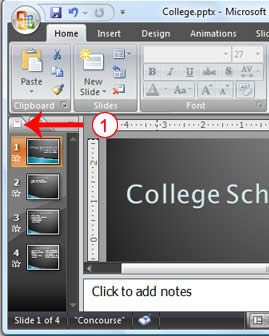
Software feature available in some programs that is found on the left-side of the screen and displays small preview images or thumbnails of available files or features available in the program. For example, the slide pane in Microsoft PowerPoint presentations displays available slides in a slide slow presentation. The user can click each of the slides to view the slide individually and edit the slide if needed.

Slide masters


The slide Master is an element of the design template that stores information about the template including font styles placeholdersize and positions background design and color schemes.

Slide Master view


In Microsoft PowerPoint the Master Slide is the template for the other slides in the presentation. On it you can put things that are to appear on all the slides; these items will not be selectable and you will not be able to edit them when creating and editing the slides of your presentation.

Sizing handle


are the small boxes appearing on the corners and edges of a "selected control" that let you change the size and shape of the control.

Single-spaced


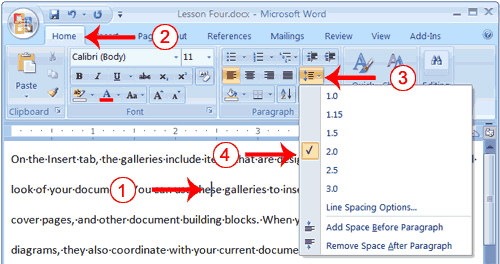
To type, print, or format (copy) without leaving a blank line between lines

Simple Payback Period


refers to the period of time required for the return on an investment to "repay" the sum of the original investment. For example, a $1000 investment which returned $500 per year would have a two year payback period. The time value of money is not taken into account. Payback period intuitively measures how long something takes to "pay for itself." All else being equal, shorter payback periods are preferable to longer payback periods. Payback period is widely used because of its ease of use despite recognized limitations, described below.

Sigma


The 18th letter of the Greek alphabet: Σ, σ, ς.