Wednesday, November 24, 2010

Shortcut menu


Is a menu in a graphical user interface (GUI) that appears upon user interaction, such as a right mouse click or middle click mouse operation. A context menu offers a limited set of choices that are available in the current state, or context, of the operating system or application. Usually the available choices are actions related to the selected object.

Serif fonts


Short horizontal lines added to the tops and bottoms of traditional typefaces, such as Times Roman. Contrast with sans-serif.

Selection


The act or an instance of selecting or the state of being selected

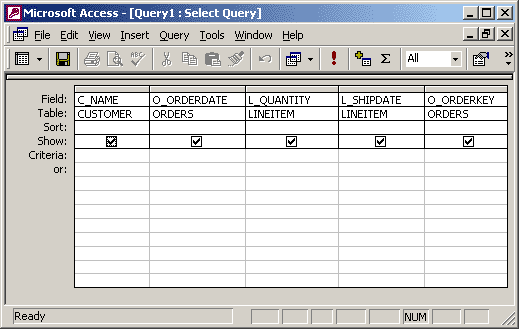
Select query


Select queries do not change the data. They will show lists of data and various statistics and other requirements.

Section

The smallest unit of storage read or written on a disk.

Scroll bars


A horizontal or vertical bar that contains a box that is clicked and dragged up, down, left, or right in order to scroll the screen.

Screen tip


A graphical user interface (GUI) feature in which a small text box appears when a mouse pointer is hovered over an icon or button. The pop-up window will provide details that explain the icon's or button's function. In some instances, though, the ScreenTip will display only the item's name. When the mouse is moved away from the icon or button, the ScreenTip will disappear from view.